Showing posts with label Video conversations. Show all posts

Monday, July 1, 2013

Check out my Google+ Hangout with Neil Davidson on, "The Core of a Successful Corporate Video"

Today, I had the pleasure of joining Neil Davidson, Founder and CEO at MyWebPresenters, in a Google+ Hangout to discuss, "The Core of a Successful Corporate Video", as part of his new Hangout series of talks with digital leaders. I was glad to join Neil's list Google+ Hangout guests, who've included: Conrad Weaver of Conjo StudiosTim Schmoyer of ReelSEOJustin Foster of Liveclicker, Tyrone Shum an expert on YouTube Video MarketingGideon Shalwick an online video marketing expert and Chris Savage of Wistia.

Google+ Hangouts have become a great way for people to "hang out" and have group video conversations and Google has added a lot of new features recently including: Remote Desktop, live rewind, and instant replay. The product has gained popularity over the last few years since its initial release in 2011 and relaunch as a standalone product at the Google i/o developers conference in May 2013. For more on the development of Google+ Hangouts and how it grew out of Google Talk, see this article: Exclusive: Inside Hangouts, Google's big fix for its messaging mess | The Verge.

I had a great conversation with Neil and you can see the topics we discussed in the interview questions below and watch our Google+ Hangout video for the full conversation.


Neil Davidson's interview questions:
  1. Larry - you must have seen (and made) a few corporate videos in your time; what would you say are the commonalities that all of the good ones share?
  2. How should a business go about fitting a video production into their marketing strategy? How can they decide what type of video to use and how to market it?
  3. Which businesses would you say are leading the way in using video as a marketing tool?
  4. I find that failures are normally good learning experiences. What is the biggest video failure you have had and what did you learn from the experience?
  5. What are the big opportunities that you see in the coming year for those using online video? Is it just more of YouTube or are there other good opportunities out there?
  6. What do you think of the short video format? i.e. Vine videos? Do you think that they will take off with businesses?
Watch all the Google+ Hangout interviews on Neil's YouTube channel at: Neil Davidson - YouTube.

Follow Neil Davidson (WEBPRESENTER) on Twitter.

Wednesday, October 13, 2010

Videoconferencing Legend: A Tribute to Bob Bodine

Great leaders are known for their vision, and it's more than just an impression that they leave – it's inspiration. I worked for one of the greats early in my career as a video professional in the health care industry – a man who was respected and admired for his vision, drive and ability to achieve exceptional results. As Director of Audio Visual Services for Kaiser Permanente for 28 years, Bob Bodine avoided the spotlight and led a small corporate AV department while quietly building one of the largest corporate videoconferencing networks of its time. Bob died on April 7, 1998 after many years of heart disease, and while he was impaired with physical limitations, that didn't stop him from realizing his vision – to connect the many people of his organization through videoconferencing technology.

He was your old school type of boss who would greet clients that arrived in the department, and get to know what they were doing and how his department supported their goals. He made the rounds visiting the sub-departments and checking in with his staff. He had that "big tent" theory and offered a boutique of audio visual services to a wealth of internal clients, from doctors, nurses, front line staff, managers, leaders an the office of the CEO. This was pre-IT days, mid 1980s, dumb terminals, no mobile devices, email was all ASCII text-based. Custom applications were built on Hypercard, DBase IV, and the Video Toaster was the state of the art, and printing and file sharing was done over Appletalk. My first job working for Bob was to duplicate and distribute VHS videotapes and audio cassettes, but within a year he moved me into the new and growing sub-department called teleconferencing.

Bob worked the system by bringing the the right people in right places together, to share his early vision of bringing videoconferencing to our organization to help save travel time of our busy doctors. He recognized early on, that physicians, management and staff, and leadership could meet virtually using video technology to see and hear each other and share documents, slides, videos and also bring a higher production value to the medium with studio produced medical education programming. He blazed the trail making deals with vendors of all shapes and sizes to create the specialized rooms and environments, which for the most part didn't exist in the early 1990's. There were no off-the-shelf solutions, like there are today with Cisco's new ūmi home telepresence system, so Bob built his own. In some respect, he carried on a legacy that was started by Henry Kaiser, the builder and founder of the company he worked for, and actually I still work for today.

Bob also saw the value of bringing videoconferencing technology to the medical practice and medical education, and was an early pioneer in Telemedicine, sponsoring projects for Tele-psychiatry, Tele-dermatology and Tele-Home Health. He was recognized by Teleconference magazine as a driving force in Telemedicine, and in 1995, he was inducted into the Teleconference magazine Hall of Fame in Stillwater, Oklahoma.

At that time, Patrick Portway, President of Applied Business teleCommunications, noted that if someone were to write a book on how agents of change can effectively introduce new technology into a large organization, Bob  Bodine would be an ideal case study.

Portway said:
"Bodine is the classic example of what Dick Jackson of Aetna Life and Casuality used to call the shoehorn in an organization (the guy or gal who made the technology fit the organization). That champion of videoconferencing does everything from initially proposing the technology to procuring the systems to developing applications and internally marketing the capability to users in the organization."
Times have changed since then, and departments like IT, Procurement & Supply and National Facilities Services are now responsible for technology infrastructure, planning and design, supply chain management and contracting. Projects are now funded much differently than in the past, and go through a rigorous approval process for the specific business case. What has also changed is the dramatic increase in the use of video within organizations, through videoconferencing, TelePresence, webinars, online and mobile videos, and high definition.

As I was writing this post, a client of mine, who hosts quarterly educational sessions for our medical coders, sent me a note that affirmed her belief in the importance of videoconferences and webinars. She shared an article about the rescued Chilean miners, who praised the doctors and psychologists that aided them via a videoconferencing connection throughout the 69 days they were trapped inside the mine. The miners were able to communicate with their families as well, which was even more important to them.

Rescued miner Mario Sepulveda said that seeing their faces and hearing their voices gave them the will to survive:
"They gave us our lives back. It's incredible that with 700 meters between us, and not seeing us face-to-face, they revived us."
Videoconferencing has helped shape the way we communicate, by bridging the distance between the many miles that separate us. I feel fortunate to have worked for Bob Bodine, who was a great leader, mentor, and in my book, a videoconferencing legend. I'm proud to say that in my own way I'm carrying on Bob's legacy.

Soon after Bob passed away in 1998, I built a tribute page to him is out there somewhere on the Interwebs. I've included that text of that page below, so that it can now have a new home here on Klessblog.


"I am an idealist. I don't know where I'm going, but I'm on my way."
- Carl Sandburg

Bob Bodine was an idealist.

In 1970, Bob saw a department where there was only he.

In the following 28 years as Director of Audio-Visual Services at Kaiser Permanente in Northern California, Bob often envisioned highways where there were only fields.

He saw televisions and cameras tucked into conference rooms, through which people would see and talk to each other.

Between buildings. Across cities. Throughout a country.

He saw instructors and students, separated by miles, but connected through technology.

He saw medicine being practiced in our hospitals, but delivered to our homes.

He saw a vast organization; without borders, united in culture, whose names came with faces, regardless of distance.

And he saw in us, his staff, the potential we did not always see in ourselves.

Bob Bodine left us much. A legacy to protect. A dream to pursue. And the spirit with which to do it all.

Kelly Miller
April 1998


Date: 28 Apr 1998 11:00:02 -0700
From: Larry Kless
To: larry.kless@earthlink.net (Return requested)
Subject: Bob Bodine


Kaiser Permanente/Stat

Bob Bodine, Kaiser Permanente's video visionary, dies at 62

FOR 28 YEARS, Bob Bodine ran his department, California MultiMedia Communications, as if it was the neighborhood grocery store. He believed in long term relationships, treating his staff like family and putting the customer first. He told his staff, "Never say no, to a client. Even if we can't do a particular job, we'll broker it to make sure our customer gets what they need."

Bob loved to innovate. The words "leader"and "visionary" are overused today. Bob was the real thing. Bob brought videoconferencing to Kaiser Permanente, saving the company millions in travel expenses and improving communication among staff. He started with no budget, no resources and no support from leadership, and finished with one of the largest corporate videoconference systems in the US.

Once videoconferencing was in place, Bob was anxious to find other applications for the system beyond business meetings. Since his days at the radio and TV station at the University of Wisconsin in Madison, Bob wanted to get back to distance learning. Through an innovation grant and a partnership with the Nursing Department, Bob realized his dream.

Today nurses at Kaiser Permanente facilities can earn advanced degrees from state and private universities over the videoconferencing network. Distance learning has added other courses like engineering, statistics and Spanish medical terminology to enhance the careers of our staff and improve service to members.

Bob was instrumental in introducing telemedicine to Kaiser Permanente. Again with no budget and few resources he supported the research and development of this new technology. He was proud to work with the Home Health nurses in Sacramento and the Psychiatric Department staff in San Rafael to improve access and service to Kaiser members.

Bob had many more accomplishments and projects we can point to, in health education, internal communication and physician education, but he will be most remembered for who he was. A generous man who many sought out for his good counsel and friendship. An optimist who could find the good and the opportunities in any kind of adversity. An innovator who was never satisfied with the status quo. A loyal friend and boss who valued and nurtured his staff.

Bob is gone but his legacy will live on in the department he created and the people who continue to carry his values of innovation, service and integrity.

By Toni Casal


What follows is an obituary on Bob Bodine published in the Contra Costa (Calif.) Times on April 12, 1998:

Bob Bodine gained strength from illnesses

Born: May 19, 1936, in Michigan City, Ind.
Died: April 7, 1998, in San Francisco

Survivors: His wife of 39 years, Mary Bodine of Antioch; a daughter, Suzanne Lescure of Danville; three sons, William Bodine of Concord, Michael Bodine of Lake Shastina, and Edward Bodine of Antioch; four grandchildren; and many cousins.

Services: A memorial service was held at Christ the King Catholic Church, in Pleasant Hill.
Memorial gifts: American Heart Association, P.O. Box 5157, Oakland, CA 94605; or Salvation Army, P.O. Box 340, Concord, CA 94520.


By Joan Morris

TIMES STAFF WRITER

Several times in Bob Bodine's life, death had come calling for his family and for himself.

When he was just a boy, both of his parents died after suffering heart attacks. Michael Bodine died at age 52. Nejla Bodine was only 42. Twenty years after her death, Bob's older and only brother, Ed, also suffered a heart attack and died. He was 42.

Bob knew what the odds were, says his father-in-law, Mac McGuigan. But he never let that get in his way of living.

"He was destined to have a very complicated life that involved sickness and sorrow, but filled with kindness, warmth," Mac says. "One would never hear of any illness from Bob."

When Bob was just 6, he contracted polio. Doctors ordered complete bed rest, but then he met Sister Kenny, a nun at the local parish. She believed in exercise, working the muscles that polio ravaged. The nun turned out to be Bob's saving grace. Although the polio damaged his legs, he survived and grew stronger. It was a strength he would need to face what lay ahead.

Bob was 10 when his parents died, and his brother was 20. Ed joined the military and Bob went to live with his mother's sister. The family already had five children Chuck, Sylvia, Larice, Betty and Margaret but they welcomed him as the newest and youngest member, calling him Bo because he had so many other cousins and uncles named Bob.

Bob was happy in his new home. His aunt and uncle encouraged his interest in music. He learned to play several instruments, from clarinet to trombone. He played in a dance band and with the University of Wisconsin band. In 1957, while still a student at the university, Bob met a beautiful young woman named Mary McGuigan. They fell in love and married two years later.

When Bob graduated, he went to work for WHA, a radio station in Madison, Wis. But Mary missed her family in California. Bob used to say he decided to move to California to please Mary and to get away from tornadoes.

Times were hard at first. Bob didn't have a job when the couple first moved to the Bay Area, but they made do. Bob taught music and sold insurance before landing a job with Kaiser Permanente in 1970.

Kaiser was creating a new audio-visual department and Bob was excited at the potential. At first, the department filmed promotional pieces and made medical-education videos, but Bob expanded the vision to include teleconferencing.

His co-workers said Bob was a pioneer in the new technology, introducing Kaiser and other businesses to teleconferencing, using technology to link several people at several locations, providing direct and instantaneous communication. Under his direction, Kaiser implemented a program that brought doctors together to discuss patient treatments, managers to talk about policies, and researchers to discuss findings, without leaving their hospitals, offices and labs.

In an odd way, Bob owed part of his life to his brother's death. Bob had always feared flying. During college, the band would occasionally fly to out-of-state games and performances. Bob would go to the airport, but he never could bring himself to get on a plane.

When Ed died in 1968, Bob had to fly to Florida for the funeral. Knowing he needed to be there for his brother, Bob forced himself to board a plane and fly across the country. His fears vanished and Bob soon became a frequent flier as Kaiser sent him all over the country to set up teleconferencing programs at other hospitals.

Ed's death also made Bob more cautious about his own health. Bob was very happy with his family, job and many friends. He had joined a U.S. and Canadian cribbage group and was eventually ranked 98th in the country. Friends described him as fun-loving, always ready with a joke, caring of others. Inside, though, he was facing a crisis.

In 1978, Bob turned 42 - the age when his mother and brother had died. Worse yet, he was starting to have heart problems.

Although bypass surgery was still in the pioneering stages, Bob agreed to the operation. Later, he would say it gave him a new lease on life. His family treasures a newspaper article written two decades ago about "new" medical miracles, including bypass surgery. The photo with the story shows a grinning Bob, his arms spread wide.

The operation bought Bob 17 more years. In 1995, at age 57, he underwent a second, even riskier bypass. It, too, was successful, but Bob's general health slowly began to decline. The 30-mile drive between his home in Antioch and his job in Oakland grew more tiring. And complications from his polio resurfaced, making it difficult for him to get around.

He fell often, Mac says, but he always rejected any help. If you asked how he was doing, Mac says, he'd tell you he was doing great.

But one day he fell on a concrete step and broke his hip, requiring surgery.

"His mobility was severely impaired," Mac says, "but he never complained. He just dealt with it." Shortly after the surgery, Bob's heart problems reappeared. He was hospitalized, first in Oakland, then in San Jose and finally to the UC Medical Center in San Francisco. On March 17, Bob's name was entered on the heart transplant waiting list. Doctors were forced to place him on an artificial-heart machine as they waited for a donor.

"It was very distressing to see this remarkable individual, lying in UCSF, unable to talk and barely able to respond at times," Mac says. "He was not expected to live on so many occasions, but he'd rally, to the surprise of his doctors."

Three weeks later, Bob died. His family was with him at the end.

"We will miss him tremendously, but we are grateful for his company and for his unflagging enthusiasm," Mac says, "even if for too short a time. We thank him for his part in trying to make the world a better place."

Sunday, October 10, 2010

Cisco Brings TelePresence to Consumers with ūmi

Over a year ago, I had heard from a friend who works at Cisco that the company would was working on a consumer TelePresence product. After much anticipation, Cisco officially announced its consumer home TelePresence system called ūmi, which brings HD videoconferencing to consumers. ūmi is available for pre-order only in the U.S. and will start to ship on 11/15/2010 at a cost of $599.99. Cisco ūmi connects to an existing HD television and a broadband internet connection and comprises of a set top box, a remote, and a 1080p camera that sits on top of your TV.

As part of its ongoing efforts to capture the consumer video market, Cisco has made ūmi simple from a consumer standpoint. On your end, you'll need a HDTV, a broadband Internet connection with a minimum of 1.5 Mbps for 720p and 3.5 Mbps for 1080p and a Cisco ūmi service plan at $24.99/month or $274.99/year for unlimited calls and up to 100 minutes of recorded video messages.

From the reviews I've seen, the ūmi calls are very high quality and the audio is natural, much like the enterprise TelePresence products. Similar to Tandberg videoconferencing systems, ūmi is controlled by a single remote control that manages video calls, video messages, contacts, and profile and settings. Recorded messages can be shared on Facebook, YouTube, or via email.

The camera is set on autofocus, autoexposure, white balance, optical zoom, as well as a motor for panning and tilting. Cisco was also smart to make ūmi compatible with Google video chat, which allows ūmi systems to send and receive video calls to any user with a computer, webcam and Google video chat.

Cisco chairman and CEO John Chambers said:
"Cisco ūmi will bring the unique telepresence experience into living rooms and change the way we are able to be together with family and friends. We envision a future where technologies like this will play a role in connecting consumers with businesses to enable the delivery of new services, ranging from education, to health care, to financial services – to the home."
As part of its non-stop TelePresence marketing campaign, Cisco will be launching a major marketing campaign for ūmi with "The Oprah Winfrey Show",  Ellen Page, the star of "Juno" and "Inception," and a Cisco ūmi mall tour that begins Nov. 10 and travels to more than 20 major malls across the U.S.

I love it that my friend Dave Beeler, star of Safety Geeks and Invention with Brian Forbes stars in all the new ūmi commercials.


Cisco is working with Verizon to bring ūmi to Verizon FiOS customers early next year, and also is working with Best Buy as a ūmi reseller through its Magnolia Home Theatre stores this holiday season. Magnolia Home Theatre stores will provide product support and bandwidth packages, with installation and support provided by The Geek Squad.

Also this week, Logitech announced its Google TV product, Logitech Revue With Google TV, that is similarly priced for all the bells and whistles, according to Techcrunch. Techcrunch also caught up with Marthin De Beer, Cisco’s SVP of the Emerging Technologies Group, for an interview to question him about ūmi's $600.00 price tag. According to De Beer, ūmi is like a fine “piece of chocolate,” as "it’s impossible to define it’s worth without a little taste."

Cisco ūmi specs:
Video resolution
    • Full HD 1080p video calling (1920x1080 pixels) and 720p recording at 30 frames per second.
    • Dynamic resolution scaling based on available bandwidth (1080p, 720p, and 480p supported)
Camera optics and mechanics
    • Optical zoom
    • Multi glass lens
    • Auto focus, auto exposure and auto white balance
    • Motorized aim –pan, tilt, and zoom
    • Motorized shutter for privacy control
Microphone and speaker
    • Built-in microphone array with software beamforming
    • Embedded speaker for incoming call ringing
TV compatibility
    • Compatible with high-definition widescreen TVs capable of 1080p or 720p with available HDMI port.
    • Wi-Fi (802.11 b/g/n ) 
Networking
    • 10/100 Ethernet (RJ-45)
Video/Audio input and outputs
    • HDMI Out: ūmi console to TV, HDMI In: media passthrough supported with select set top boxes and BluRay equipment.
    • Digital audio over HDMI or optical audio
Infrared
    • Built-in IR receiver for ūmi remote

    Friday, September 3, 2010

    Skype Introduces 10-way Video Calls, But Is It Ready For Prime Time?

    Yesterday Skype released an update to its popular video chat and VoIP client with a second beta of Skype 5.0 for Windows, that introduces group video calls with up to 10 people. The update works only on Windows and everyone on a group call now needs to be running this newer version, to join in group video calls. It was only a few months ago that Skype began to offer video calls up to 5 people. At that time, Skype admitted that this new feature was in beta and there might be a few rough edges, and that it might not work perfectly every time. With this new version, Skype says it has increased stability and better quality when making group video calls, along with a new sleeker look and feel to the user interface.

    For now, Skype is offering 10-way video calling as a free trial, but it's likely to become a premium feature in the future. Skype competitor, ooVoo, also had multi-party video chat for up to 6 callers as a free service before moving to paid plans with tiered rates from 3 up to 6-way calls, and free a plan for 2-way calls only. Other premium features ooVoo has include video recording, screen sharing and 480p video quality and high quality audio which ooVoo says gives it an edge over Skype. Read this ooVoo review post for more on ooVoo.

    While I haven't yet downloaded the Skype 5.0 for Windows update yet, or given it try, I'm still skeptical it could provide a quality user experience with that many video callers, especially through the public Internet where there's no QoS (Quality of Service.) In the videoconferencing world, you need a MCU (Multi-point Control Unit) to bridge all your video connections and dedicated network resources to support IP video calls.

    My guess is that for Skype to work for 10-way calls  you need to have at least a 3-5 MBps Internet connection and a PC with a Dual Core processor and at least 4 GB of RAM to handle that amount of live streaming data. Skype has been positioning itself for the enterprise and this new offering is really more of a business play than for consumers. Better to be behind a corporate firewall where you have more control at managing network traffic.

    Life hacker recorded this demo and Whitson Gordon who wrote the accompanying blog post said to not expect great things.


    Gordon shared the following in his post:
    "We took the beta for a test run, to see if we could get more than five people running in a video chat. Once we got past about three of us, most everyone stopped outputting video, and the audio got pretty choppy. Overall, it wasn't the best...if everyone in the group has a powerful computer and a fast connection, you might be able to get it to work—as always, your mileage may vary, and it is still in beta—but it doesn't look like this is going to work very well for everyone. Check out the video above to see how it went for us."
    There's still no word on Linux or Mac versions, although when Skype announced the five-way calling it said 'later this year' for a Mac version. But if you want Skype 5.0 for Windows download it now.

    Related:

    Tuesday, January 5, 2010

    Skype TV Debuts at CES 2010, Live Two-Way Videoconferencing Comes to the Living Room

    It was announced today at CES 2010, that Internet telephony Skype has partnered with HDTV makers Panasonic and LG to bring its popular video chat software to the living room. Starting in the spring, Panasonic and LG's broadband-enabled HDTVs will feature an embedded version of Skype 4.2. Consumers will need a HDTV-ready webcam with an integrated microphone and a recommended 1 Mbps symmetrical bandwidth for 720p HD calls at 30fps.

    Several companies will be showing the HDTV-ready webcams which also integrate onboard video encoding. FaceVision developed two versions, one with a microphone ($US99) and one without ($US69). In Store has two HD encoding webcams, the Freetalk HD Pro ($US120) and the Freetalk HD Pro Plus ($US140). Both Panasonic and LG will offer optional plug and play webcams that can pick up sound and video from couch distance. Panasonic will support Skype in its VT and G series HDTVs in the US and LG will embed Skype in 26 new LCD and plasma HDTVs. Both LG and Panasonic are expected to demonstrate the service this week at CES.

    Skype collaborated with Trinity Convergence on the software development and integration of its VeriCall voice and video engine with the Skype embedded SDK into the partner HDTVs. Mark Felice, co-founder and vice president of business development, Trinity Convergence said,
    "With more than 520 million registered users, making Skype video calling available through connected devices is a natural evolution in its drive to bring video communications to the masses. We look forward to seeing Skype video proliferate on a wide range of embedded devices."
    Some of the features on the HDTVs will include:
    • Free Skype-to-Skype voice and video calls to other Skype users
    • Calls to landline or mobile phones at Skype's low rates
    • The option to receive inbound calls via a user's online Skype number
    • Skype voicemail, if it is set up
    • Being invited to participate in voice conference calls with up to 24 other parties
    • Support for up to 720p HD video calls, depending on the availability of high-speed broadband and a HD webcam


    Skype CEO Josh Silverman said,
    "Skype has made video calling easy, free and accessible. Today, 34% of all Skype-to-Skype calls include video. In addition, the number one reason why Skype users enjoy video calling is because it makes them feel more connected to friends and family. This is very exciting for us. TVs are a logical and natural platform for video communications. TVs will no longer be just the center of people’s entertainment experience, but have the potential to be the center of people’s communications experience.”
    The NY Times reported, the domestic TV market shipped 33.86 million units during 2009, which is up 17 percent from 2008. According to forecast by market research firm iSuppli Corp., worldwide sales of internet TVs are predicted to grow to 241.2 million by 2012. Th trends in growth were attributed to the expanding availability of HD content and the declining cost to process HD video streams.

    While much of the news today has been focused on the Google Nexus One, I think that this news is much more interesting in that it changes television from a passive one-way viewing experience into a two-way live video conversation platform.

    For more information, visit: Skype on your TV

    Wednesday, April 8, 2009

    Robin Good's Best Video Conferencing Tools Mini-Guide

    Robin Good has published a new mini-guide of the best videoconferencing tools, Best Video Conferencing Tools: Free, Low-Cost, One-To-One And Multi-Party Solutions - Mini-Guide - Robin Good's Latest News.

    The videoconferencing apps mainly come in two flavors, browser-based and client-based. Most all run on Flash and require at least Flash Player 7 and others like Skype, iChat and ooVoo are stand-alone applications.

    Most of them have similar functions with supporting a two-way video call, text chat, contact lists, scaling of windows and modest echo cancellation. Robin noted that many videoconferencing tools, "often integrate some complementary features, such as the ability to make VoIP phone calls, do screen-sharing, record sessions, transfer files, or whiteboarding." While many of those features are he added that premium services offer "pro features like better video quality, more participants, or advanced control and customization."

    See his blog post for full descriptions and comparison tables of each product.

    He used the following criteria to evaluate these tools:
    1) Platform: Type of tool (software / web-based).

    2) Video channels: Number of parties that can participate to a video conference at the same time (refers only to multi-party tools).

    3) Public conference: Ability to make a video conference fully public.

    4) Embeddable widget: Flash widget embeddable on web sites or social media sites.

    5) Session recording: Feature to record your conference session for later review or publishing.

    6) Text chat: Ability to text-chat other participants.

    7) Other features: File transfer, screen-sharing, live annotation, whiteboarding, etc.

    8) Pro starting price: Price and additional features of the first advanced pricing level.

    Best Free and Low-Cost One-To-One Video Conferencing Tools

    1. Skype
    2. Windows Live Messenger
    3. Yahoo! Messenger
    4. Google Video Chat
    5. AIM Chat
    6. SnapYap
    7. Boostcam

    Best Free and Low-Cost Multi-Party Video Conferencing Tools

    1. ooVoo
    2. SightSpeed
    3. Adobe Acrobat Connect Pro
    4. Nefsis
    5. VSee
    6. iChat
    7. MegaMeeting
    8. MeBeam
    9. TokBox
    10. Vidivic
    11. FlashMeeting
    12. iNeen
    13. PalBee
    14. iSpQ
    15. Ekko
    16. Vawkr
    17. iVisit
    18. Meeting24.tv
    Honorable mention
    http://www.dimdim.com/

    This list was originally prepared by Robin Good and Daniele Bazzano for MasterNewMedia, and first published on April 6th, 2009 as "Best Video Conferencing Tools: Free, Low-Cost, One-To-One And Multi-Party Solutions - Mini-Guide".

    Tuesday, February 10, 2009

    Video Chat Gets Updated, New Windows Versions of Skype and ooVoo are Released

    New versions of the free videoconferencing clients are available now. The ever-popular and ubiquitous Skype announced an upgrade to its Windows version last week which followed the recent update to the Mac OS client with version 2.8 which introduced cool new features like screening sharing.

    PC Magazine said, "As if to celebrate its fifth birthday, IP telephony service provider Skype recently achieved a milestone of 15 million concurrent users, meaning there are now 405 million skype users across the planet. This figure, they say, is growing by 380,000 every day."

    4.0.png
    Skype 4.0 - it's all yours - Skype Blogs

    From the Skype blog, "For those of you who are regular readers of this blog, this should come as no surprise – the gold version of Skype 4.0 for Windows is now ready to download. It’s an exciting day at Skype – and not just because we’ve also just passed the 16 million online user milestone ;) – as it marks the final stage in a process which has lasted over two years, and incorporated feedback from tens of thousands users like you.

    I’m going to keep this brief, as much of the story of 4.0 has been covered in Peter’s previous posts, but even if you stop reading now, this is the bit to remember: the gold version of Skype 4.0 for Windows is now ready, so download it now and share it with your friends, family and colleagues. 4.0 also sports a radically overhauled user interface – a slicker, cleaner look with less clutter and easier-to-find core features. We’ve also included Compact View, which retains the structure of the Skype 3.8 interface for those of you who prefer to work that way."

    I had both my mom and father-in-law each update their versions of Skype this past week and they saw noticeable improvement in the video quality and bandwidth management. The only issue we ran into was that when Skype installed the update it rewrote some of the audio settings which ended up disabling my mom's microphone. After about an hour of remote diagnosis of walking her through the various windows, tabs and settings we found the fix under Tools>Settings>Audio Settings>USB Camera Mic which had been changed from the previous version.

    Here's more from that post with what's new and improved.
    • Improved video calling – A new built-in bandwidth manager ensures that you have the very best video calling experience possible, even on a low bandwidth connection. If you have a fast enough connection (recommended 400 Kb/s or higher) and a high quality webcam, Skype delivers up to 30-frames-per-second High Quality Video at full screen.
    • Calls and instant messages are easier to manage – video and voice calls, as well as instant messaging, are all easy to reach in a single window. The new Conversations tab makes it easy to hold multiple conversations at once, and to switch quickly between video and voice calls, instant messages and SMS. This is particularly beneficial for the power users among you.
    • Call quality is substantially improved thanks to a number of under-the-hood changes. Calls sound richer and clearer than ever thanks to support for Super Wideband Audio with compatible hardware. The bandwidth manager should ensure that you have crystal clear calls even when bandwidth is low.


    ooVoo also updated their multi-party video char software client this week. On the ooVoo blog, Chief Marketing Officer Marty Walker announced the latest update to the Windows client, "A BIG day at ooVoo today as we just launched our new Version 2.0 which is a big leap forward for our product and the video chat/video conferencing category in general. The release continues our focus on high quality video and includes significant audio improvements. But what we’re all REALLY excited about at ooVoo is our “Call Me” link which lets ooVoo users make video calls with anyone they know, even if their friends/family/colleagues/social media friends haven’t downloaded ooVoo. All you have to do is send someone a link, they click on it, and in moments they can join your call in a web browser. How great is that? And it is the same outstanding ooVoo quality. ooVooer’s have a permanent “Call Me” link (like a phone number). Give it out, put it in your email signature (we’ll help you create a button for this), post it on your blog or personal web page and all anyone has to do is click on the link to ooVoo you.

    https://blogger.googleusercontent.com/img/b/R29vZ2xl/AVvXsEhg37JZWDC0lK3WK0cQ7EwAnICtEapIZ6Bou_WYAEd8hN1-Fo6UBeajor9uyx2m3IUzhdy0SVnrG8mL6xQYJUACpDjeBnO0QD7vYoQiRn77dJpy-8n92RcP8CICoVR3ohuSgArynzFpmUZk/s1600/oovoo_5.jpg

    What else is new? Users can now build their own Video Chat Rooms (very easily) and can embed these into their own social network pages or blog. Users want flexibility and the ability to be creative and we are doing our best to deliver what our users want. Lastly, we have published an API for developers to build their own applications with ooVoo. And as we learn more about what the development community wants in high quality video chats we will continue to rollout more API’s."

    As David Pouge noted in his NY Times piece, Video Chats Overcome Clunkiness, it's been 45 years since the demonstration of the first video phone at the World's Fair but now years later it's part of our normal way to communicate with family, friends and business associates. Check out his article for more background on how video chat has grown up.

    Related:

    Saturday, December 20, 2008

    12seconds.tv Rolls Out iPhone App and Open Registration

    12seconds.tv has been referred to as the "video Twitter" since you can record and post a 12 second video status message with its online video service. This past week they made several big announcements to help broaden their user base by moving from an invitation-only alpha to public beta and by releasing a new iPhone application available now in the App Store for $0.99. The new application allows users to create 12 second videos with photos and audio and doesn't violate Apple's restriction of no video recording on the iPhone. Video recording and live streaming is only available on jailbroken iPhones.

    Many see the new app as a clever workaround to getting a legitimate video application on the iPhone. Here's what they had to say on the 12second blog:
    "With the 12seconds iPhone app you take 3 pictures, record some audio and post it. We’ll turn it into a video and post it for your friends to see. There’s no other app in the app store that outputs video so we’re pretty excited about it. It will cost only 99 cents. It’s a great value and a great way to support your friends at 12seconds. Here’s a short video demonstration."


    12seconds iPhone App Demonstration from Sol Lipman on Vimeo.

    Regarding the open registration the 12second also had to say:
    "The time has come to open up and share 12seconds with the rest of the world. Now anyone can register and join our beta program. So, please, invite your friends and let’s build a rich community of people 12ing all over the world. 12seconds is easy, fun and engaging. We’ve got the best community on the Internet."
    Here are a few related posts that offer more background and detail:

    Wednesday, October 22, 2008

    And now for something completely different... John Cleese on Seesmic

    Actor, author, motivational speaker and Monty Python alum John Cleese has joined the video conversation as a member of the Seesmic community. He appeared a two weeks ago on October 8th and answered direct questions from Seesmic members offering candid responses.

    Jamie Riddlle wrote on his blog, "So its not everyday you meet someone famous, but tonight we did. In what must be a 'social network' first, John Cleese came onto Seesmic and invited questions. This 'hook up' was made possible by Dean Whitbread, Loic Lemeur [Head Honcho at Seesmic] and the great man himself.

    For a bit of fun, my daughter posted a question..."
    Re: John Cleese on Seesmic Tuesday 7th at NOON Pacific TimeCan you helpme with my homework...

    And she got this response...

    Re: Ella /: John Cleese on Seesmic Tuesday 7th at NOON Pacific Time

    John Cleese is also on Twitter and Friendfeed and blogs regularly at: http://www.cleeseblog.com/

    Seesmic VP of Content Vinvin interviewed him about Alaskan Governor and VP candidate Sarah Palin in this video clip.

    John Cleese (part 2): Obama, Biden & Fox News

    Sunday, September 21, 2008

    Seesmic Goes Mobile, New Nokia N95 Application Lets You Bring the Conversation Anywhere

    The popular video conversation community now extends to the mobile network with the release of a new Seesmic client for the Nokia N95. Both the Seesmic blog and founder Loic Le Meur announced the public application release this past Friday. It had been in development for some time and almost a month ago on his blog Loic asked, Do You Have A Symbian Smartphone Nokia n95 Or The Like?, in an effort to recruit some testers.

    Now you can take Seesmic with you and as the Seesmic blog says,
    "Seesmic users will be able to record and watch Seesmic videos directly from their cell phones. On top of that, this application stands as the first tool in which users can reply to their friend's videos and build a threaded conversation from their cell phone. Also, true to its social software nature, the Seesmic application allows users to post a Twitter message with a link to their new videos."
    Here's the official video announcement and demo:


    To install the client on your N95 just go to http://m.seesmic.com from your cell phone, and follow the easy download instructions. For more information go to the Frequently Asked Questions page.

    I spent some time today testing the client on the Nokia N95 that I have on load from Nokia/WOM World. I wasn't able to playback any videos due to some player configuration or network issues that I haven't yet resolved. Here's the video thread from my test.

    Nokia N95 test
    Thank you to Steph and the Nokia/WOM World team for sending me the loaner Nokia N95 so that I could test this new application. Look for more updates from me this next week from Streaming Media West. I'm packing my bags and heading off to San Jose in the morning.

    Tuesday, September 9, 2008

    From Robin Good's Sharewood Guide - Best Video Conferencing Tools That Anyone Can Use

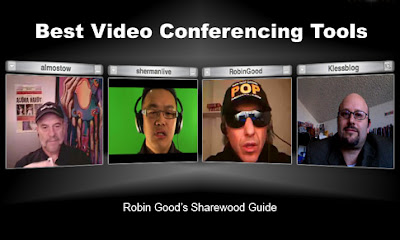
    Robin Good has published another round up of videoconferencing tools available for PC and Mac users titled, Best Video Conferencing Tools That Anyone Can Use - Sharewood Guide - Robin Good's Latest News, and if you look closely at the image from the guide which I've included here you'll see I've been syndicated as part of banner graphic.

    I've used many of these videoconferencing and webconferencing tools and I'm hearing about a few of them for the first time. As Robin says, "Video conferencing tools often integrate some complementary features beyond video, audio/VoIP and text chat, such as a file transfer facility or an audio/ video recording feature." He added that the quality of the tools vary and that it's mainly influence by the quality of your web cam and your internet connection.

    If you're familiar video compression you know that motion degrades video quality and that a still image will look much clearer in comparison. The size of your bandwidth pipe affects how much data you can send and receive and some of the videoconferencing tools are optimized to work well at low data rates while others have expanded features available at higher data rates. One evolving feature available at higher data rates is HD video quality at 720p with H.264 encoding which you'll be hearing more about as broadband connections become the norm. While most of these videoconferencing solutions operate well on low bandwidth you may sometimes a fair amount of motion artifacts, tiling and freezing in the video. - Update 9/10/08

    However, that's not covered in the Sharewood Guide and it focuses on the following key videoconferencing features:
    • Streaming feeds number (or number of participants)
    • Text-chat
    • File transfer
    • Session Recording
    • Web-based
    Here's the list and you can read more about each tool in the Sharewood Guide:
    1. Oovoo
      Software client. Free up to 3 and subscription-based up to 6 with recording.
      http://www.oovoo.com/

    2. Adobe Connect Now
      Free after registration.
      http://www.acrobat.com/

    3. VSee
      Free for unlimited number of participants.
      http://vsee.com/

    4. SightSpeed
      Free for two people, or $9.95/month for 4 people and unlimited video storage.
      http://www.sightspeed.com/

    5. PalBee.com
      Free.
      http://www.palbee.com/

    6. MeBeam
      Free web-based with up to 16 participants, has had problems with nudity.
      http://www.mebeam.com/

    7. Vidivic
      Free with up to 9 particpants.
      http://www.vidivic.com/

    8. FlashMeeting
      Need a registered user invite.
      http://flashmeeting.open.ac.uk/

    9. MegaMeeting
      Up to 16 participants.
      http://www.megameeting.com/

    10. WengoMeeting
      Register and add up to 5 users. Free.
      http://www.wengomeeting.com/index.php

    11. EkkoTV
      Free and web-based, no downloads.
      http://www.ekko.tv/

    12. Vawkr
      Free and web-based, no downloads.
      http://vawkr.com/


    Video Calling

    1. Skype
      Free, the ubiquitous peer-to-peer software client.
      http://www.skype.com

    2. Tokbox
      Free, web-based, can record video messages.
      http://www.tokbox.com/

    3. SnapYap
      Free, peer-to-peer calls, need a registered user.
      http://www.snapyap.com/

    Best Video Conferencing And Video Calling Services - Comparison Table


    go to the table!

    * Values intended for paid versions only.


    This content was originally published as Best Video Conferencing Tools That Anyone Can Use - Sharewood Guide - Robin Good's Latest News by Robin Good on September 8, 2008 for Master New Media.

    Creative Commons License
    This work is licensed under a Creative Commons License.

    Saturday, August 9, 2008

    My ooVoo Day With... Political Edition: Queen of Spain


    I had the pleasure of meeting Queen of Spain Blog political blogger Erin Kotecki Vest on my last My ooVoo Day With... Political Edition. She only had 30 minutes to share since she was going live with her weekly show The Sunday Inquisition w/ the Queen of Spain from 7-9 pm pacific time. I'll talk more about that following my summary of our ooVoo chat. Erin was connecting from Detroit where she was visiting with family and also joining the call was Digitalsista Shireen who I had met earlier in the day and Jill Foster. This was my third ooVoo call of the day and I was back at home by then and eager to meet the Queen of Spain.

    "Erin Kotecki Vest spent ten years as a broadcast journalist in Los Angeles, Orlando and Detroit winning six Golden Mic Awards with LA news institution KFWB. She now serves as Political Director and Election 08 Producer for
    BlogHer.com as well as contributing regularly to the Huffington Post, MOMocrats.com, and her own site Queen of Spain Blog."

    [snapshot-<span class=
    Since we only had a short time with Erin we mainly talked about her life changing Blogher interview with Obama. She wrote about it in a two part series on her blog here and here where she gives behind the scenes details of the experience, her emotional state and how she prepared for the interview that changed her life.

    On her blog she said,
    "I wasn’t supposed to be doing the interview."
    "I shopped at the Eugene, Oregon Target at 8pm Friday night for camera-ready clothes, notecards, and hairspray."
    "I met the Senator from Illinois in the hallway of Roseburg High School while he was on his way to use the rest room. I know this. He told me so."


    Our ooVoo conversation started with Jill asking the Erin how she prepared. Erin said the Blogher community drafted collected the 12 questions which were not secret so there was no fear of being ambushed. Each candidate would have time to prepare and this made it easy for to do interview. She counted her blessings and didn't have to go crazy. The on-camera interview was conducted in Roseburg, Oregon, by Erin with input from Contributing Editor Kim Pearson. She got through 7 of the 12 questions in the 10 minutes and on her blog she said, "This interview was not a surprise investigation by us. We’ve had these questions on the record since the BlogHer conference last July. So I knew this was not going to be a ‘follow up question’ or ‘on the spot attack’ type of interview. That helped. Back in the day I would have been plotting 40 follow ups and 40 different takes on those follow ups depending on his answers."

    I asked Erin of the politicians she's interview who seemed the most sincere. She said Obama was the most genuine she ever met, he's charismatic, he had no handlers, was not so scripted or protected with every word out of his mouth and that was a relief for her. Momocrats said when Obama speaks and does his "ums" he reminds you of that college professor that was a little absent minded, but you saw the wheels spinning, watched the gears go and you see how brilliant he is.

    The blogging community is growing she said and high profile people like Michelle Obama are now blogging on Blogher. When asked how could McCain supporters could be engaged she said she's not sure how to get them to support Obama and she's not trying to change their minds. Her biggest worry is the undecided voters and independents.

    On her blog she said, "I love being a blogger. I love being a blogher. I love that after I interviewed the man who very well could make history I could tell you this story, and scream and cry. Years ago I could never have done that." Now they call her for interviews and she doesn't wait their call. Although she said she's still hasn't heard from McCain's people.

    Once again our ooVoo time was up and Erin had to go. Her humor, fun spirit and passion for the political process and citizen activism was a real inspiration and 30 minutes of conversation was not enough. So after our ooVoo chat ended I logged onto Erin's Sunday Inquisition show and couldn't help but notice that Jill and Digitalsista were there too.


    The main topic of that broadcast was about Lee Stranahan and how he's been banned from posting at Daily Kos, a liberal political blog after he started talking about the John Edwards scandal which finally broke on mainstream news yesterday. There was a lively and energetic discussion and Stranahan joined to share his side of the story. He said has been doing short video parodies on YouTube since December and cross posting on Kos 2-3 months ago starting posting on Huffington post doing comedy. He's been looking at Edwards scandal and his post, Say It Ain't So, John -- Why Progressives Need To Get Out In Front Of The John Edwards Affair Rumors 180,000 views, went viral, hugely viral. He thought he made his point clear that he was a progressive democrat and wasn't prepared for all the harshness and extreme backlash.


    Related links:

    Thursday, August 7, 2008

    My ooVoo Day With... Political Edition: In The Pink Texas & Every Dot Connects

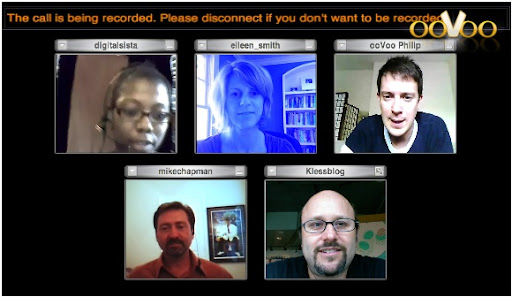
    As I mentioned in my last post, I participated in three separate My ooVoo Day With... Political Edition videoconferences last Sunday. For my second session I found myself back at the Starbucks in San Francisco using the T-Mobile Wifi and my trusty Macbook. I didn't mentioned earlier that I actually don't live in San Francisco but I was there early Sunday morning because my son and his band, Shatterfish, were playing at the San Francisco Marathon (view their Qik video here) and I was roadie, tour manager, tech support, driver and video broadcaster. But I found a local wireless hotspot close to where they were playing and was able to join the previous session with Matt Parker and this one hosted Eileen Smith and Mike Chapman. Also joining the conversation was Digitalsista Shireen Mitchell, founder and Executive Director of Digital Sisters/Sistas, Inc and author of the blog Women Wired In. Phillip Robertson from ooVoo joined briefly to assist with connectivity issues.

    "Eileen Smith is the editor of texasmonthly.com and also the editor of a satirical political blog named In the Pink Texas." In the Pink Texas says, "She has an affinity for pinot and an irrational fear of breeders, orphans, Catholic nuns, sobriety, lactivists, miniskirts and speaking on panels. She tries to respond to all comments, especially the ones that refer to her as a sociopath."

    Needless to day she offered great conversation and insights on the 2008 Presidential Campaign. On her blog, Eileen had this to say about participating on the ooVoo panel,"When my blog friend and yours, The Other Guy, started telling me about some new, exciting platform for online communications and digital media, I quickly said “unsubscribe” and hung up the phone. But then he told me it had something to do with a live video chat and I’m like, sign me up. Who am I to pass up yet another opportunity to embarrass myself and the entire staff of Texas Monthly?"

    Joining Eileen as co-host was Mike Chapman who "has over two decades of experience in public relations and public affairs. Joining the Capitol Hill staff of Congressman J.J. "Jake" Pickle after college, he was mentored by one of the nation's most successful statesmen... He is a founding member of the Austin Social Media Club, the international Social Media Club, and a number of organizations with interests in online communications strategies and technologies."

    On his blog Every Dot Connects, Mike wrote about the upcoming My ooVoo Day In The Pink by saying. "The Pink Lady and I don’t always agree and when we don’t, she’s always right. Well, except on a few issues and I won’t mention what they are... Here’s a hint, I supported Barack Obama and she still wants Hillary to take it to the convention. Other than that, we agree on everything. Politics can get really boring for normal people. Eileen gets that and makes the issues of the day fun. She isn’t Jon Stewart or Stephen Colbert…she’s better. Recently, she posted about our upcoming panel, which just happens to be on Obama’s birthday (I thought you’d like that Eileen) and, once again, she cracked me up."

    Once we all got connected, Mike started by talking about the power of the social media world and political activism. Instead of just telling our friends we can now tell the word through our blogs and that things news reporters wouldn't write about bloggers and commenters would. He went to Netroots Nation and said they were a very fervent group. Eileen added that there was no middle ground in Netroots Nation. Shireen said she went to Blogher and that Netroots has the view of being extermists but you also get a sense that they are bringing up things that people don't want to touch.

    I admitted that I felt out of touch with the issues and that it had been several months since I sat down and read the paper. Most of time is spent in the tech blogosphere but joining these conversations helped me connect back to the political dialogue. We all agreed that the media distracts and that with the overall media coverage the extremes get media attention. Eileen pointed out that nobody is talking a economic plan.

    We went on to talk about the Presidential campaign strategies. Mike thought that Obama is taking a risk by not committing to specifics and waiting for opponent to make a mistake. Reagan was the best at this. Not saying anything and looking presidential. Clinton tried but was not as successful. Shireen also thought that it's dangerous too and when you use surrogates you get caught in a bind. You're guilty by association and the media pounces on you. Which is what happened to Obama earlier in his campaign when sermons by his longtime Chicago pastor, Jeremiah Wright produced an explosion of controversy. (More on Huffington Post...)

    Eileen said that candidates don't really control their campaigns anymore and the media is looking for candidates to slip up. Every politician need to be aware of the viral quality of negative stories and get into talking about real policies. They're trying to use old school public relations messaging but we're not putting up with it anymore. It will be history making on who handles it best.

    Overall, it was a great conversation that ended too soon. I had to leave early to pick up my son and his band mates since the SF Marathon finished up early. Eileen and Mike had one more ooVoo chat scheduled the next day and I had one more myself later in the day with Queen of Spain. More on that in my next post.